
- Search
- Dubai24 ° C


HONOR Magic8 Pro: A Phone That Fits Into Your Everyday Rhythm

First Impressions: Unboxing, Setup
First Impressions: Design, Unboxing & Setup
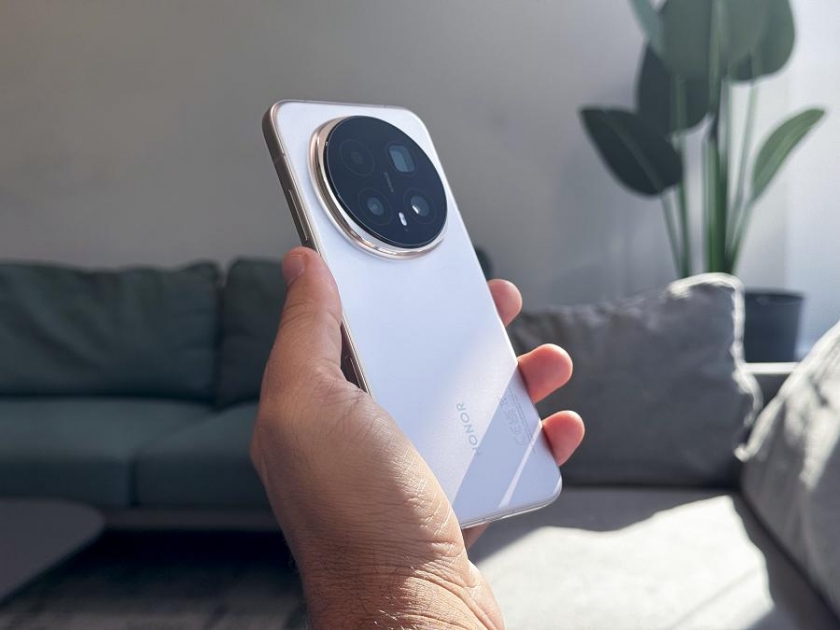
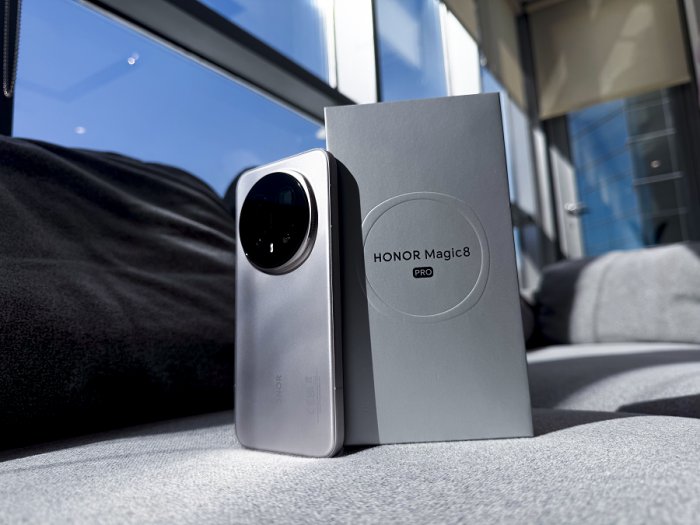
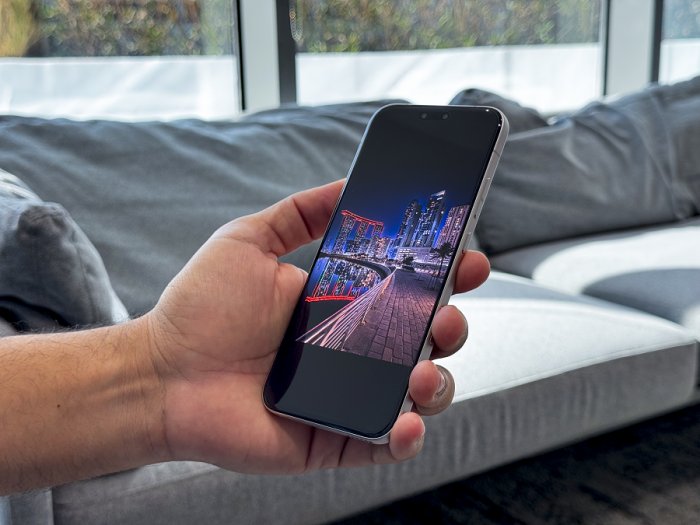
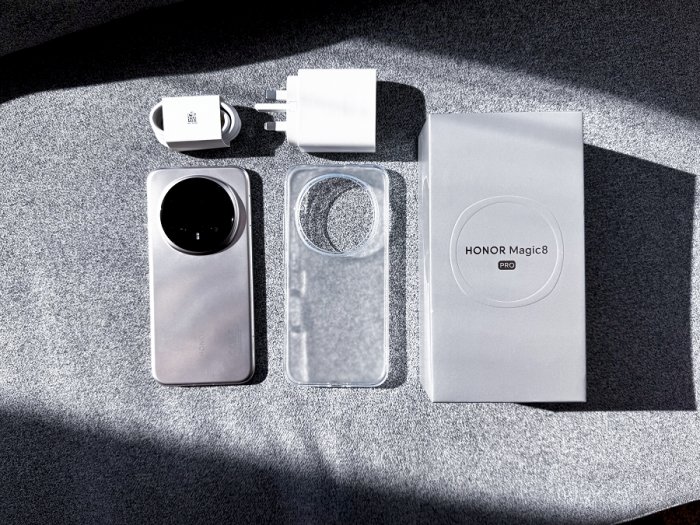
There’s a quiet thrill in unboxing a new phone, the weight in your hand, the way the finish catches the light. The HONOR Magic8 Pro makes a strong first impression with its clean lines and balanced feel, the kind of design that feels considered rather than flashy.
After the first impression, the real test was setup, usually the part that feels like a chore, switching phones midweek is usually a hassle. Accounts, chats, photos - it’s rarely seamless. But setup was easier than expected. Using iPhone-to-HONOR cloning, I moved over essential apps, contacts, and chats in one go. HONOR Share handled a batch of video transfers to my laptop without cables or cloud detours. Within minutes, it felt less like starting over and more like picking up where I left off. That first hour matters. It sets expectations. And the Magic8 Pro made a good first one.
The AI Button: A Small Change That Alters How You Use the Phone
The first thing that changed how I used the phone instantly was the AI Button. I mapped a short press to launch the camera, with a long press opening the AI tools. In practice, this meant I could jump into a shot and then immediately use AI Edit or AI Search without digging through menus. That is the difference between features you know exist and features you use. When tools are one press away, they become part of the flow rather than something you remember later.
Night Photography That Finally Delivers
I’ve always struggled with night photography, too much noise, shaky zooms, and portraits that look artificial. It’s usually the point where most phones let me down. With the HONOR Magic8 Pro, that changed, and the 200MP AI Ultra Night Telephoto became the star of my first night out. I started at the waterfront where lights bounce off glass and water. What stood out wasn’t just detail, but also stability as most sensors get confused with such a mix. Handheld night zooms felt controlled, without the usual micro-shake that ruins shots. Zooming in felt surprisingly stable handheld at night is usually when you feel the wobble. Here the combination of sensor and stabilization meant I could hold a zoomed frame without losing sharpness.
Portraits held their balance too. I took several night portraits close, then at a distance with city lights behind. Skin tones looked natural, not waxy or oversmoothed, and the highlights in the background did not explode into noise. That balanced face detail plus controlled light bloom is what makes a night portrait usable, and the Magic8 Pro consistently kept that balance.
AI Tools That Make Creativity Effortless
One thing I’ve learned is that most people don’t want complex edits. They want the camera to reflect reality, with just a touch of polish. They want their photos to look the way the moment felt, while instantly matching the right tone.
Magic Color became my shortcut. I captured a scene with warm café lighting and cool street reflections, uploaded a reference look I love, and the tones matched instantly. No fiddling with sliders, no third-party apps. Just fast, intuitive creative control that fits real life.
In crowded scenes, when a couple of passersby drifted into the frame, AI Eraser cleaned them up in seconds and did not leave weird edges behind. I also tested Moving Photo in a crowded evening spot, usually where motion and low light don’t mix. Instead of lifeless frozen frames or blurry chaos, the Magic8 Pro kept sharp eyes and readable expressions while preserving the energy of the scene. If you shoot concerts or markets at night, this is the difference between a throwaway clip and something you’ll keep.
I also used AI Cutout to isolate a subject for a poster style share and AI Outpainting to expand a tight crop into a composition that worked better on social. These are not parlor tricks they are ways to get more value out of a single shot especially when you did not have the perfect angle at the time.
Smarter Help on the Go
During a late walk I tried Gemini Live for quick landmark ID. Pointed at a skyline, it pulled up contextual info and suggested a few nearby spots. Later I used it to translate a menu and to plan a short route when traffic rerouted us. That is the difference between having AI on a phone and having AI in your day. The Magic8 Pro puts these tools one press away, and they respond quickly enough to matter in the moment.
AI Search quickly became a daily convenience, just type less and find what you need faster. And if you’re used to digging through menus, the AI Settings Agent makes it simple: ask for what you want, night mode, adjust volume, open hotspot, and jump straight there. These small time-savers add up over the week.
Performance That Keeps Up Under Pressure
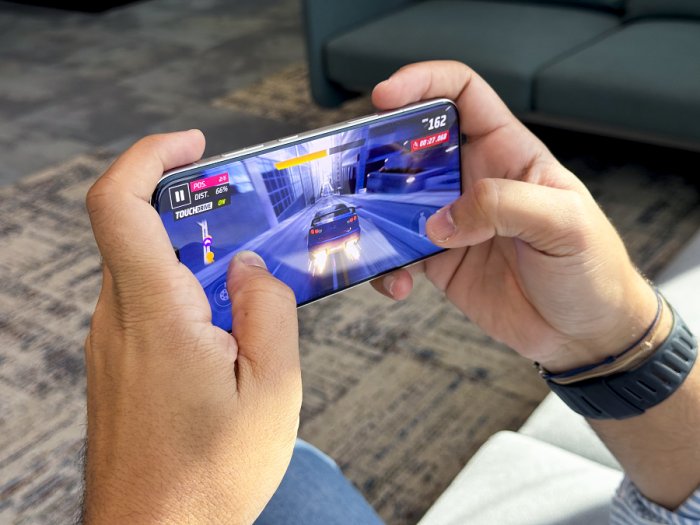
I tested a couple of high fps games in an extended session. With the Snapdragon 8 Elite Gen 5, the frame rates stayed consistent, and thermals were impressively controlled. I did not get that hot spot on the palm feeling I had with other flagships after 30 minutes. Also, no sudden dips, no stutter when notifications or downloads kicked in. Animations across the UI stayed fluid even with messages popping in and a download going in the background. If you care about speed that feels smooth and unburdened, this chipset delivers the kind of consistency you notice without needing a graph to prove it.
Power That Lasts and Charges Fast
There’s nothing worse than watching your battery dip when you’re out late and still have plans. With the Magic8 Pro, that anxiety never showed up. I went from an afternoon of navigation and photos to a late-night gaming session without once reaching for a charger. The 7100mAh silicon-carbon battery handled it all quietly in the background.
The next morning, I realized I’d forgotten to charge overnight, but a quick top-up while I finished my coffee was enough. Thanks to 100W wired and 80W wireless charging, the phone went from near empty to ready for the day in minutes. It feels less like managing power and more like having the freedom to live without thinking about it.
Seamless Sharing Across Devices
After a week of use, what stood out wasn’t just the phone, it was how easily it fit into my workflow. Sending high-res photos to my laptop took seconds with HONOR Share, no cables or cloud detours. For anyone juggling between phone and PC, that kind of frictionless transfer matters.
Powered by MagicOS 10, the HONOR Magic8 Pro takes this convenience further with an upgraded HONOR Share that supports fast transfers across Android, iOS, and Windows ecosystems, including iPhones, iPads, Macs, as well as Windows PCs. Photos, videos, and documents move effortlessly between devices, and with OneTap sharing, transfers to Apple devices are as simple as bringing the NFC areas of the two phones together. The result is a more open, intuitive ecosystem that just works—regardless of platform.
Final Thoughts: A Phone That Fits My Everyday Rhythm
The HONOR Magic8 Pro feels like it was designed for how nights in our region move, fast, expressive, and full of detail you do not want to lose. It is the first phone I have used recently where night zooms felt confident, portraits looked honest, and edits happened right there without breaking the moment. Add the performance and battery headroom, and it becomes less about specs and more about rhythm.


NEOM Gaming Accelerator Welcomes Largest-Ever Cycle of Startup Studios
Sunday 11 January, 2026 11:40
Riyadh to Host the Men’s Fabrics & Accessories Expo 2026
Sunday 11 January, 2026 10:08
Bank Albilad completes issuance of $500M AT1 sukuk
Sunday 11 January, 2026 12:59
11th RetrofitTech Buildings & Industrial Innovation MENA to Drive Regional Transformation Toward Net Zero 2050
Sunday 11 January, 2026 12:19
SAL signs SAR 233M contract to develop Jeddah ground terminal Phase II
Sunday 11 January, 2026 11:38